
.svg)




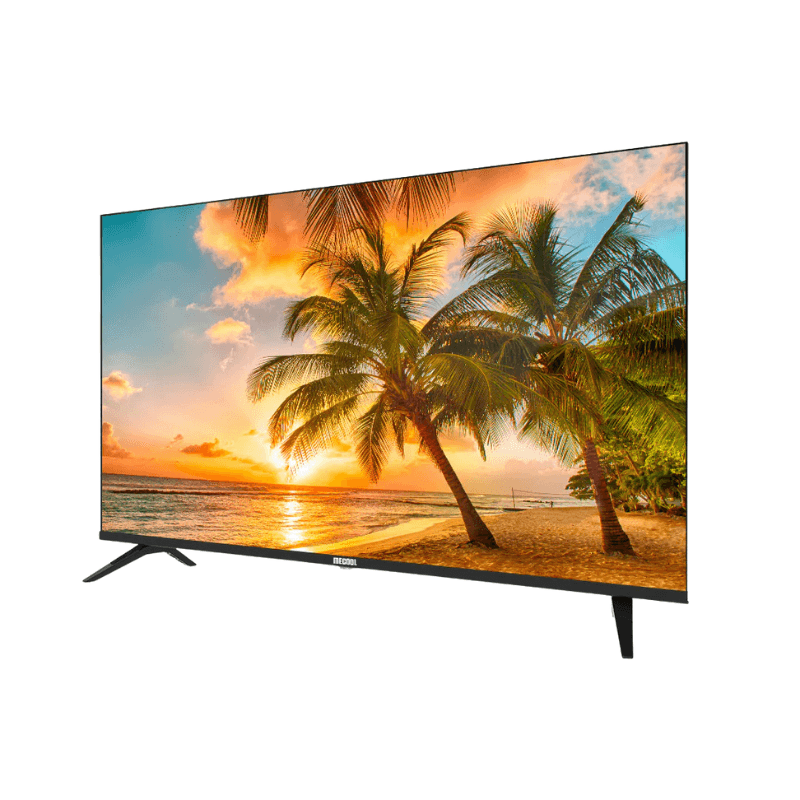


MECOOL digital television
2,500.00 Dhs
Delivery
-
 Store pickup at Digimart

Pick up today
Free
-
Home delivery (2-3 Days)

Our courier will deliver to the specified address
Starting from 20 Dhs
Payment

Cash on delivery

Bank wire

By card
Description
Product Description – MECOOL Google tv digital television
Troubleshooting – Quick Guide انظر الى الفيديو
Before contacting customer service, try these simple solutions to solve the most common problems. This can save you time and money.
| Symptom | Checks to perform |
|---|---|
| No power | Check whether the power cable is properly plugged into the mains socket. |
| No image | Make sure the television is not in “text” mode in the subtitles. |
| Image but no sound | Press the MUTE button to disable silent mode. |
| Sound but poor image quality | Adjust the contrast, color, and brightness settings. |
| Double or blurry image | This may be caused by poor reception. Try another channel or adjust the antenna. |
| Remote control not responding | Check the batteries. Replace them if necessary. Clean the remote control sensor. |
| Snowy image (noise) | Check the antenna. Avoid electrical interference (hair dryer, neon lights, etc.). |
| Horizontal lines | May be caused by other connected devices. Turn them off one by one to test. |
⚙️ HDMI display settings (supported resolutions)
| Resolution | Vertical frequency (Hz) | Horizontal frequency (kHz) |
|---|---|---|
| 720x480i | 59.94 / 60 | 15.73 |
| 720x576i | 50 | 15.63 |
| 720x480p | 59.94 / 60 | 31.47 |
| 720x576p | 50 | 31.26 |
| 1280x720p | 50 / 59.94 / 60 | 37.50 / 44.96 |
| 1920x1080i/p | 50 / 59.94 / 60 | 28.13 – 67.50 |
| 3840x2160p (4K UHD) | 60 | 135.0 |
Precautions and safety instructions
Avoid exposure to moisture or rain to prevent electric shocks or fires.
Do not disassemble the device. There are no user-serviceable parts inside.
Unplug the device if it will not be used for an extended period.
Avoid covering the ventilation openings. Ensure proper air circulation.
Do not expose to excessive heat sources (direct sunlight, candles, fireplaces).
Do not dispose of this product with household waste. Recycle through an approved center.
️ Menu navigation and settings
Main menu : Press the MENU button on the remote control.
Input sources : Press “Source” or “Input” to display and select the source (HDMI, AV, TV…).
Initial settings : On first startup, follow the setup wizard.
Applications : Access the app library via the home screen (if smart TV).
⚠️ Various warnings
Risk of electric shock : Do not open the back of the television.
Risk of falling : Secure the television on a stable support.
Environmental risk : Do not throw in the trash. Use collection points for recycling.
Intended use : Indoor use only, at moderate room temperature
Specification
 Overview

| Resolution Video | 4K |
|---|---|
| Connectivite | HDMI |
Customer Reviews
Only logged in customers who have purchased this product may leave a review.








.svg)



Reviews
There are no reviews yet.